
Powerful video editor, if it works
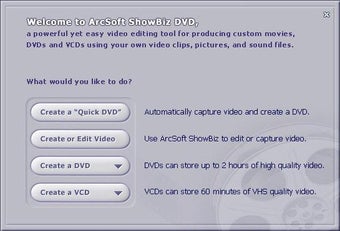
ArcSoft ShowBiz is a multimedia application that promises to help you create and edit videos and movies with ease. It offers various visual effects and transition tools in an easy-to-use interface to allow even novice users to create awesome videos. The full version is available on a subscription basis. However, there is a demo version that lets you use it for free but with limited capabilities.
Top Recommended Alternative

Offers more than your usual editor
ArcSoft ShowBiz works like Windows Movie Maker. It allows you to import or capture videos, edit them, and then export the output in a variety of formats. It supports more formats than ArcSoft’s DVD2 without crashing. However, while it lets you import files easily, it divides your clips into multiple files if it exceeds about 1.45 GB.
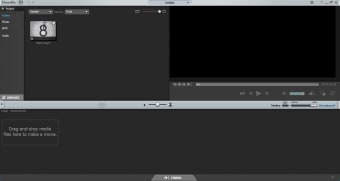
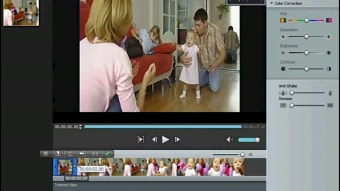
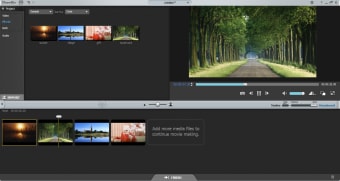
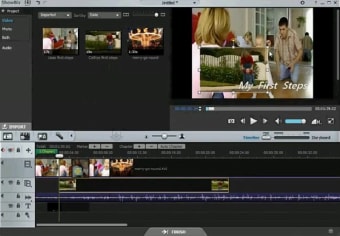
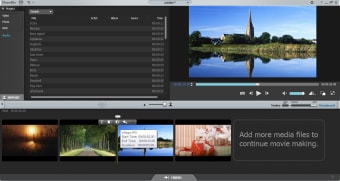
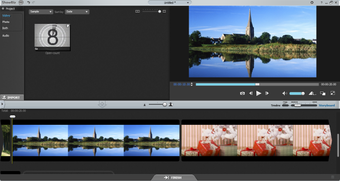
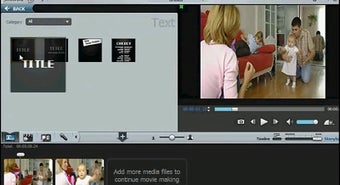
After capturing your video, and like WMM, ArcSoft ShowBiz offers a simple storyboard/timeline-based layout in which you can drag the media clips and edit the content. Unlike WMM, however, ArcSoft ShowBiz offers more functionality. Aside from video track, the app has tracks for text titles and effects, as well as two additional audio tracks, one for voice-overs and one for soundtracks.
ArcSoft ShowBiz also offers more transitions and effects to your video. The software comes with several stock text title types, numerous transitions, and dozens of effects. You have the option to add animated text titles over live video and add a transition between clips with several swipes and fades. However, you would need to have patience when looking for effects to add because some of the available ones are rather lame.
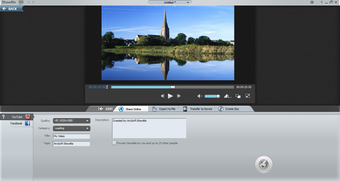
And since there are separate tracks for audio and text titles, you can specify their location and duration. You can also use multiple titles and effects per video. When you are done editing, you can save the result in the format you want. ArcSoft ShowBiz has several save and export options. And as mentioned, it can write files in numerous formats, including AVI, DV-AVI, MPEG-1, Video CD, and even Video Email. Best of all, you can configure the formats in terms of resolution, frame rate, audio format, and more. You can also directly export your video on a recordable CD or DVD.
Some niggling problems
ArcSoft ShowBiz would have been a great video editing application. However, there are some issues that you need to deal with when you use the app. Firstly, it’s not reliable. It frequently crashes. Sure, it creates great videos, but that is if it actually works. Half the time, it only records or captures a few seconds of the video, then it will fail.
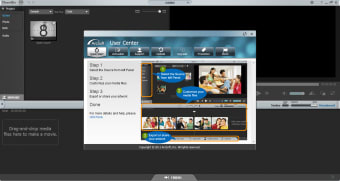
More so, the app sports a depressing black background making it hard to see the functions. They’re practically invisible. ArcSoft ShowBiz's attempt to simplify the app so that an effect object is integrated into the clip also does not work. The effects only integrate into one clip. So, if you are applying the effects on all clip, you’ll do it one by one.
These and other issues make the app extremely difficult to use. But you won’t get the help that easily since their customer support does not respond.
Needs to have its issues resolved
ArcSoft ShowBiz aims to give users an alternative to their usual video editor. But, for the most part, the app does not work. And if it does, you will encounter issues after issue that you will spend more than enough time just to edit a simple home video. However, if the developers patch it up some more, then ArcSoft ShowBiz will be worth the money you spend.